This guide explains how remote patient monitoring works, step by step, for practices building or growing a program. Medicare calls the service remote physiological monitoring, and the core idea is simple. A patient takes readings at home on a connected medical device, the data reaches the care team automatically, and clinicians use it to adjust care between visits.
Understanding how remote patient monitoring works helps practices plan staffing, choose devices, and set clear expectations with patients. The sections below cover the definition, who can provide the service, the five steps of a typical program, the care team workflow, and the billing basics.
What Remote Patient Monitoring Is
Remote patient monitoring (RPM) uses connected health devices to collect physiologic data, such as blood pressure, weight, blood glucose, or oxygen saturation, outside the clinic. According to CMS guidance, the device must electronically collect the data and automatically upload it to a secure location. There, the billing practitioner can analyze and interpret it.
RPM is proactive, preventive care. Instead of waiting for the next office visit, clinicians see trends as they develop. A rising weight in a heart failure patient or a run of high blood pressure readings can prompt a call, a medication change, or a visit.
Hypertension shows why this matters. CDC data show that 47.7% of adults had hypertension from August 2021 to August 2023. Only about one in five of those adults had their blood pressure controlled to below 130/80 mm Hg. Home readings give clinicians far more data points than occasional office measurements.
How Remote Patient Monitoring Works for Different Conditions
RPM is most often used for chronic conditions, though CMS allows monitoring of acute conditions too. A study in JAMA Internal Medicine found that hypertension was the most common primary diagnosis for Medicare RPM claims (62.5%). Diabetes followed at 8.3%. Common use cases include:
- Hypertension: Blood pressure monitors track readings and trends over time.
- Heart failure: Weight scales flag rapid gains that may signal fluid retention.
- Diabetes: Glucometers share readings with the care team without manual logs.
- COPD and respiratory conditions: Pulse oximeters and spirometers track oxygen saturation and lung function.
- Post-discharge care: Short-term monitoring supports patients during recovery at home.
The same JAMA study found that RPM use grew quickly during the pandemic. General RPM claims rose from 91 to 594 per 100,000 Medicare enrollees per month between February 2020 and September 2021.
Who Can Perform RPM Services?
CMS sets clear rules on who can order and bill for remote physiological monitoring. Per CMS guidance:
- Only physicians and non-physician practitioners eligible to provide evaluation and management services can bill for RPM.
- Auxiliary personnel, such as nurses and medical assistants, can provide services under the general supervision of the billing practitioner.
- RPM requires an established patient relationship.
- Only one practitioner can bill for remote monitoring per patient in a 30-day period.
- RPM and remote therapeutic monitoring (RTM) cannot be billed together for the same patient.
Many practices pair RPM with chronic care management. Our post on CCM and RPM explains how the two programs work together.
5 Steps That Show How Remote Patient Monitoring Works
Most programs follow the same core sequence. Here is how remote patient monitoring works from enrollment to claim.
Step 1: Patient Consent and Enrollment
The care team identifies eligible patients, typically those with a chronic or acute condition that benefits from frequent data. CMS requires patient consent at the time RPM services are provided. Clear explanations help here. Patients should know what they will measure, how often, and who will review their readings.
Step 2: Ordering and Setting Up the Device
The device must meet the FDA definition of a medical device. The ordering clinician selects the right device for the care plan, such as a blood pressure monitor, scale, or glucometer. Setup includes shipping, activating the device, and teaching the patient how to use it.
With Tenovi, we handle fulfillment, provisioning and support. Devices arrive ready to use, and patients do not need apps, syncing, or Wi-Fi.
Step 3: The Patient Takes Readings at Home
The patient takes readings as directed. CMS requires data collection on 2 to 15 days, or 16 or more days, in a 30-day period, depending on the code. Simple devices make consistent use easier, which supports the data the care team needs.
Step 4: The Care Team Reviews and Acts on the Data
Clinical staff review readings, watch for trends, and follow up when values fall outside the patient’s targets. Treatment management includes interactive communication with the patient, such as a phone call to discuss readings and next steps.
The American Heart Association notes that self-measured blood pressure monitoring is associated with lower blood pressure and better control. It adds that the benefits are greatest when paired with co-interventions, which is the role the care team plays in an RPM program.
Step 5: Documenting and Submitting the Claim
The practice documents days of data, time spent on treatment management, and interactive communication. It then submits claims using the codes that match the services provided. Accurate records protect both the patient and the practice.
How Readings Move From Home to the Care Team
The technical side of RPM should stay out of the patient’s way. Here is how data typically flows with Tenovi.
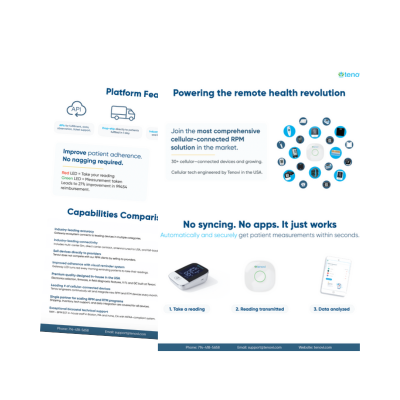
- The patient takes a measurement. They step on a scale or use a blood pressure cuff, as they normally would.
- The reading transmits automatically. Cellular-connected devices send data through the Tenovi Gateway or a SIM-embedded device. No pairing, apps, or home internet are required.
- The data reaches the care team. Readings flow into the Tenovi Cloud and on to the practice’s platform through one API.
- Staff review and respond. Clinicians see current values and trends, then follow up based on the care plan.
Tenovi supports 60+ cellular-connected devices, so practices can match every device for every care plan with one partner.
How Remote Patient Monitoring Works Inside the EHR
Workflow is where many programs succeed or stall. Care teams already work in the electronic health record (EHR) all day. RPM data is most useful when it shows up there too.
Tenovi partners with eClinicalWorks (eCW). Readings flow through the Tenovi Cloud into the eCW dashboard and the patient record. Staff review and act on trends without switching systems or re-keying data. That keeps the workflow simple:
- One place to work: Clinicians see RPM readings next to the rest of the chart.
- Less manual entry: Data arrives in the record automatically, which reduces transcription steps.
- Faster follow-up: Out-of-range readings are visible where staff already review patient information.
- Easier documentation: Monitoring data sits in the same record used for notes and claims.
Learn more in our post on eClinicalWorks integration. For practices on other platforms, our guide to an RPM dashboard covers the features worth evaluating.
How Remote Patient Monitoring Works in Billing
Medicare covers remote physiological monitoring under the Physician Fee Schedule. The CY 2026 rule added codes for shorter monitoring periods, so practices can bill when patients transmit fewer than 16 days of data or when treatment management takes less than 20 minutes in a month.
Device Supply Codes
- CPT 99453: Initial device setup and patient education.
- CPT 99454: Device supply with daily recordings or transmissions, 16 or more days in 30 days.
- CPT 99445: Device supply with daily recordings or transmissions, 2 to 15 days in 30 days. Our post on CPT 99445 covers its requirements in detail.
Treatment Management Codes
- CPT 99470: Treatment management for a shorter block of time in a calendar month, below the 20-minute threshold.
- CPT 99457: The first 20 minutes of treatment management in a calendar month, including interactive communication with the patient.
- CPT 99458: Each additional 20 minutes of treatment management in the same month.
CMS notes that the 2-to-15 or 16-day data requirement does not apply to treatment management codes 99457 and 99458. Payment rates vary by locality and change each year, so practices should confirm current rates in the CMS Physician Fee Schedule.
Frequently Asked Questions About How Remote Patient Monitoring Works
These questions cover common points providers and care teams raise when learning how remote patient monitoring works, from devices and eligibility to data flow and documentation.
1) What is remote physiological monitoring?
Remote physiological monitoring is the Medicare term for RPM. It uses connected medical devices to collect physiologic data, such as blood pressure or weight, and automatically send it to the care team for review.
2) Do patients need a smartphone or Wi-Fi for RPM?
Not with cellular-connected devices. Tenovi devices send readings through the Tenovi Gateway or a built-in SIM, so patients do not need apps, syncing, or a home internet connection.
3) How many days of data are required each month?
CMS requires data collection on 2 to 15 days, or 16 or more days, in a 30-day period, depending on the device supply code billed. The CY 2026 rule added the shorter range.
4) Who on the care team can review RPM readings?
Auxiliary personnel, such as nurses and medical assistants, can provide RPM services under the general supervision of the billing practitioner. The billing practitioner must be eligible to provide evaluation and management services.
5) Can a patient be enrolled in RPM and RTM at the same time?
CMS does not allow RPM and RTM to be billed together for the same patient. Only one practitioner can bill for remote monitoring per patient in a 30-day period.
6) How does RPM data reach the electronic health record?
It depends on the platform. Through the Tenovi and eClinicalWorks partnership, readings flow through the Tenovi Cloud into the eCW dashboard and patient record, so staff can review trends without switching systems.
Understanding Remote Patient Monitoring
Knowing how remote patient monitoring works helps practices build programs that patients use and care teams can sustain. The core steps stay the same: enroll and consent the patient, set up an FDA-defined medical device, collect readings automatically, review and act on the data, and document the care. Simple devices keep patients engaged. Integrated data keeps staff focused on patients instead of software. Clear documentation supports accurate claims under current CMS rules.
Tenovi provides remote monitoring infrastructure for care teams: 60+ cellular-connected devices, one API, and fulfillment, provisioning and support handled for you. Care that goes home with the patient starts with the right partner. Contact us for a free demo and consultation to see how Tenovi fits your workflow.
Reimbursement disclaimer: This article is for informational purposes only and is not billing, coding, or legal advice. Coverage, codes, and payment rates vary by payer and change over time. The billing provider is responsible for verifying current requirements, documenting medical necessity, and submitting accurate claims. CPT® is a registered trademark of the American Medical Association.